
Accordion (câu hỏi thường gặp – FAQ) là một thành phần rất phổ biến trên website. Tuy nhiên, giao diện mặc định của nhiều theme WordPress (đặc biệt là Flatsome) thường khá đơn giản và chưa thực sự thu hút.
Trong bài viết này, mình sẽ hướng dẫn bạn cách biến accordion thành giao diện hiện đại, bo góc, có icon + / – giống các landing page chuyên nghiệp chỉ bằng CSS — không cần plugin.
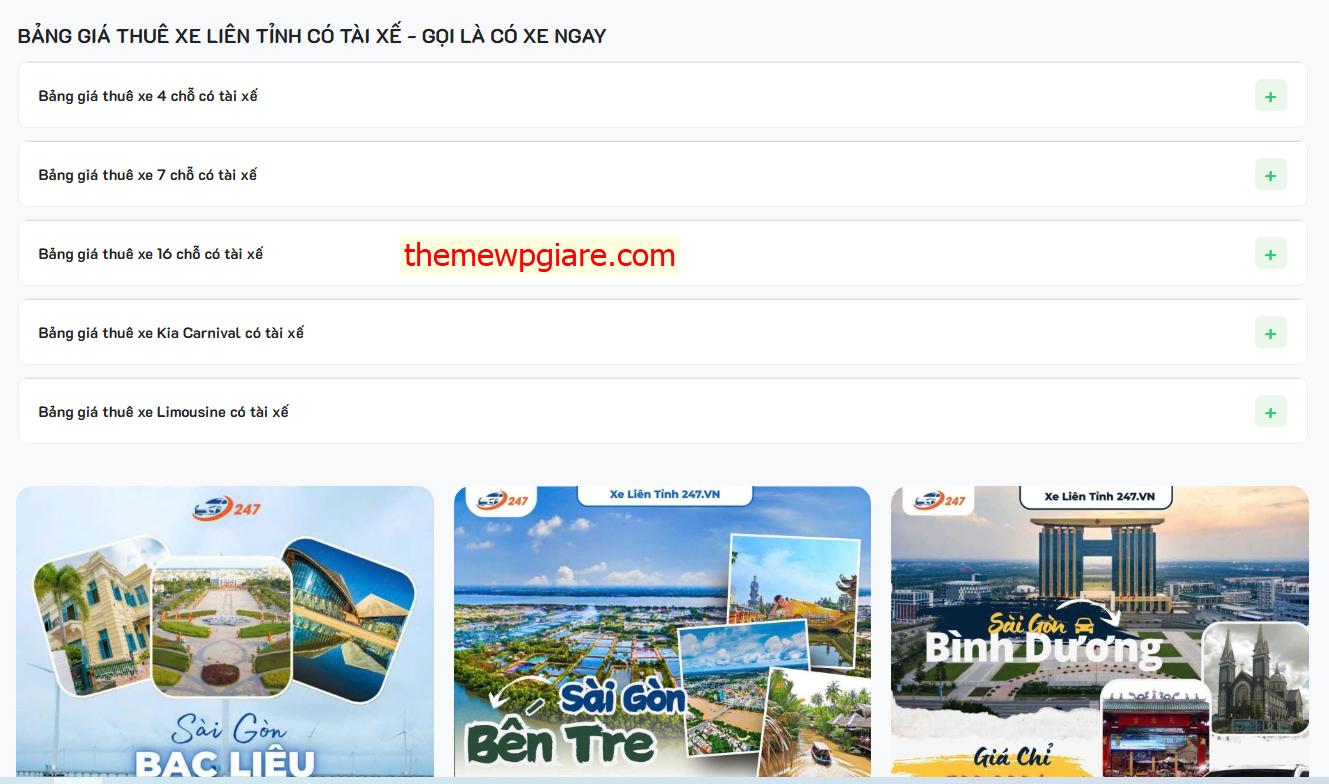
🎨 CSS hoàn chỉnh
Dán vào Appearance → Customize → Additional CSS
.accordion-item {
  background: #fff;
  border-radius: 10px;
  margin-bottom: 12px;
  border: 1px solid #eee;
  overflow: hidden;
}

.accordion-title {
  padding: 16px 20px;
  font-weight: 600;
  font-size: 15px;
  position: relative;
  cursor: pointer;
  display: flex;
  align-items: center;
  justify-content: space-between;
}

.accordion-title i,
.accordion-title .toggle {
  display: none !important;
}


.accordion-title::after {
  content: "+";
  width: 32px;
  height: 32px;
  background: #eaf7ea;
  color: #2ecc71;
  font-size: 20px;
  font-weight: bold;
  display: flex;
  align-items: center;
  justify-content: center;
  border-radius: 6px;
  transition: 0.3s;
}

.accordion-item.active .accordion-title::after {
  content: "−";
  background: #2ecc71;
  color: #fff;
}


.accordion-inner {
  padding: 15px 20px;
  border-top: 1px solid #eee;
}
🎯 Kết quả đạt được
Sau khi áp dụng, accordion của bạn sẽ có:
- Giao diện dạng card bo góc
- Khoảng cách thoáng, dễ đọc
- Icon + / – nằm bên phải
- Hiệu ứng hover nhẹ
- Trông giống các website SaaS chuyên nghiệp